ORVALA / THE APARTMENT SALES EXPERIENCE
From “I like the building”
to “this is my apartment.”
Your development, turned into a browser experience.
Buyers explore the building, narrow their options and open a floor plan—without downloading an app.
01 / See the difference
The page opens.
What can the buyer do next?
Put a building in front of a buyer. Then give them a way to find their home inside it.
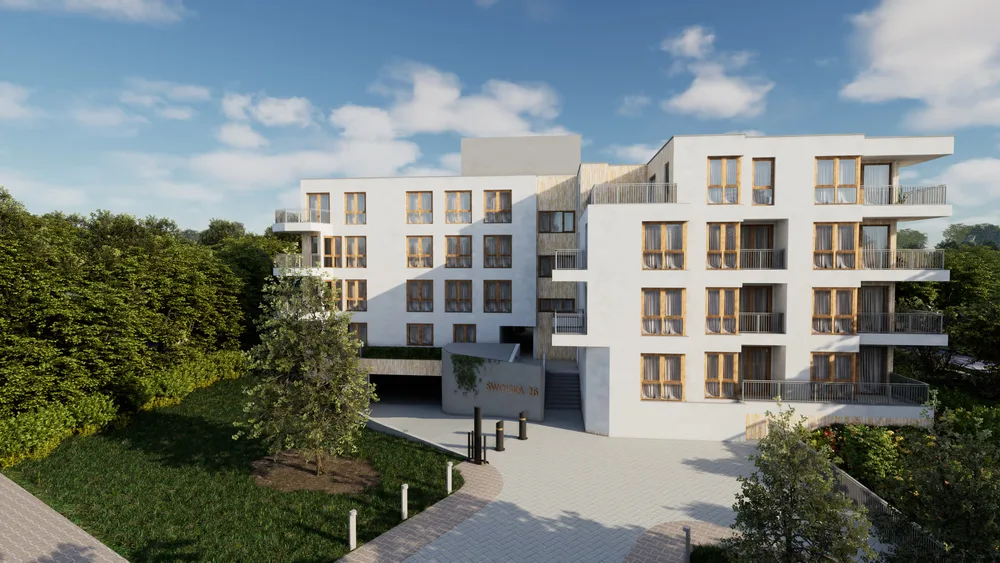
Explore. Filter. Choose.
Try a room filter, then open a real apartment plan.
Life, beautifully
situated.
View. Read. Ask for details.
A visual introduction, with apartment questions left to follow up.
Interactive product preview with three sample apartments and original floor plans. Static side is a generic illustration. Arrival animation illustrates page loading; it is not a speed benchmark. Demo availability and prices are illustrative.
02 / Why this matters
Give the enquiry
an apartment number.
A smaller, more relevant shortlist.
Room and area filters help buyers focus on homes that fit their needs.
The layout, before the first call.
Buyers can inspect the floor plan while the selected apartment is still in context.
A specific starting point for sales.
An apartment-specific enquiry gives the conversation a clear subject. Conversion uplift still needs to be measured in a client deployment.
03 / Performance evidence
The numbers behind
the experience.
A controlled desktop test of the exported app and a minimal static reference. Three runs each, with the same network settings.
The static image loaded faster in this test. The app adds apartment selection and detail views. These are local-build measurements, not live-site or competitor benchmarks.
Inspect the test method and every run
Tested 2026-10-14 in Chrome/154.0.8037.57, at 1440 × 900. Both versions used a local HTTP server and the same building poster. Download: 8 Mbps; upload: 2 Mbps; added latency: 40 ms. Browser cache disabled; new tab per run; no CPU throttling.
The static reference uses a single image and minimal markup. The app includes its interface and media. Local delivery excludes DNS, TLS, public hosting and regional latency. These are synthetic desktop results, not mobile or Core Web Vitals field data.
Readiness: the app had a decoded video frame, a canvas and no loading label. This is an automated readiness signal, not a visual-completeness score. The static page's building image had finished loading. After app readiness, an automated click on apartment A.0.01 opened its floor-plan image element successfully in each run.
| Version / run | First content | Building ready | Body data received |
|---|---|---|---|
| Apartment app / 1 | 0.99 s | 2.36 s | 2.16 MB |
| Apartment app / 2 | 0.37 s | 2.42 s | 2.20 MB |
| Apartment app / 3 | 0.37 s | 2.35 s | 2.15 MB |
| Static reference / 1 | 0.04 s | 0.51 s | 0.40 MB |
| Static reference / 2 | 0.04 s | 0.49 s | 0.40 MB |
| Static reference / 3 | 0.05 s | 0.49 s | 0.40 MB |
Transferred data counts encoded response-body bytes received until readiness. It excludes response headers and later downloads. Static HTML was supplied by the test harness; its small document size is excluded.
Read the raw measurement data ↗YOUR DEVELOPMENT, NEXT
The same foundation.
Your building. Your brand.
We adapt the apartment web app template to your development, unit schedule, floor plans and visual identity. Start with the material you already have.
Building model or drawings, unit schedule and brand assets.
Views, apartment mapping, interface language and enquiry flow.
Agree hosting, updates, support and delivery milestones.